
PCB Design Rules – Design Review Checklist
Passing your ECAD tool’s ERC (Electrical Rules Check) and DRC (Design Rule Check) is necessary, but does not guarantee a successful PCB.
ERC / DRC mainly catch schematic connectivity, pin-type issues, and layout manufacturability constraints.
This practical PCB design rules cheat sheet and design review checklist for low-noise, reliable, and manufacturable printed circuit boards walks you through the key engineering checks, with explanations, that go beyond what standard ERC / DRC checks can verify:
- EMC / EMI control
- Noise reduction
- Return-path & loop-area control
- Stack-up & plane strategy
- Signal integrity
- Power integrity
- ESD & surge robustness
- Creepage & clearance safety
- High-current & thermal management
- Mechanical constraints
- Design-for-test (DFT) & probe access
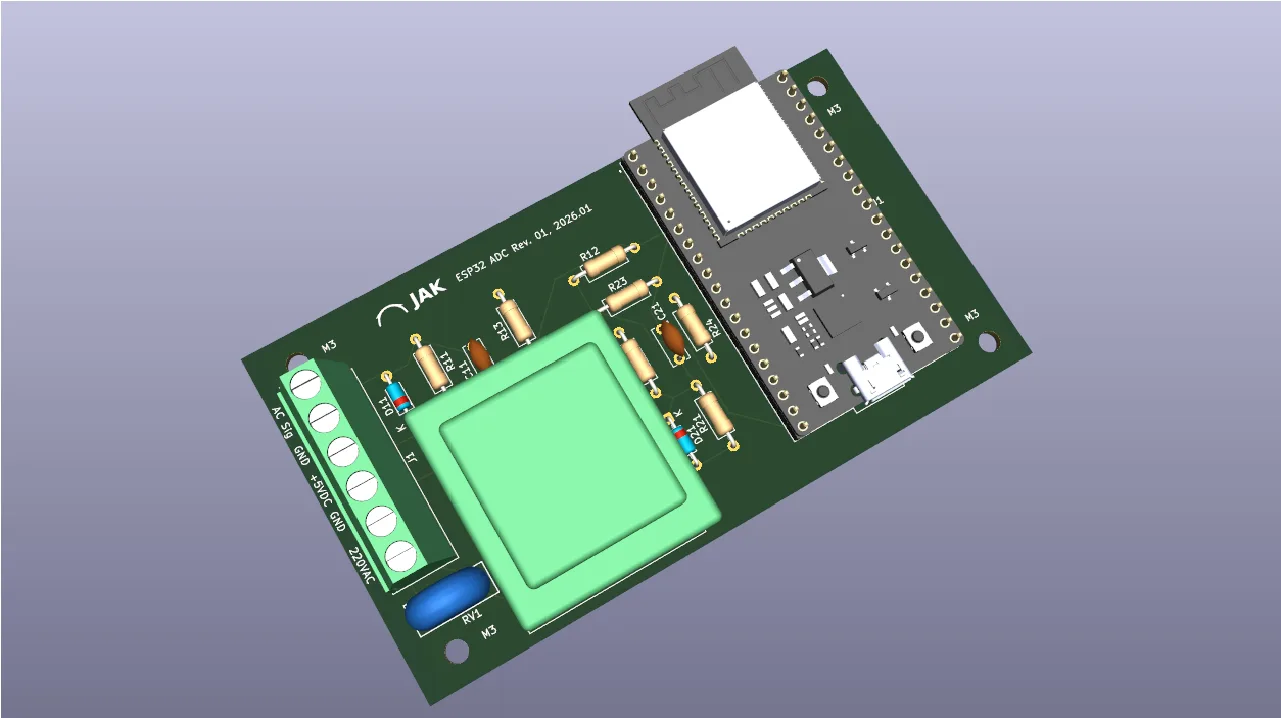
Design review workflow with PDF report:
Download a free per-project design review checklist — a working
document for your design review with tickable checkboxes (Pass / Fail / N/A) and a notes/comments field for each item.
In the downloaded HTML file, use the “Print / Save as PDF” button to export and archive the completed design review report as a PDF.
Use this web page as a reference during the review: come back here anytime and expand the arrow nodes below to read the detailed explanation behind each checklist item.
Contents
Video
Watch the full walkthrough video to understand the methodology, then use this page as a searchable checklist while reviewing your own PCB designs.
Schematics
-
Group circuits by function
Group related parts (e.g., power supply, MCU, RF front-end) into hierarchical sheets so the schematic is easier to read. This also helps the PCB layout naturally follow those functional blocks.
-
Use clear signal path (left → right)
Arrange the schematic so that signals generally flow from left to right. This makes the logical path easier to follow and simplifies debugging and reviews.
-
Use standard symbols
Use recognised, industry-standard schematic symbols for all components. This keeps the design unambiguous and easier for others to read, review, and maintain. Aligning your symbols with trusted PCB libraries and manufacturer-approved footprints also helps avoid confusion later in the production process.
-
Label nets clearly
Label nets clearly and consistently. Good naming makes the schematic easier to follow, reduces wiring mistakes, and helps during layout and debugging. Avoid generic labels where several rails or signals exist — for example, instead of calling everything VCC, use specific names such as 3V3_RF, 5V_USB, or 1V2_CORE. Clear and unique names make intent obvious and reduce mistakes during layout and debugging.
-
Annotate and document
Annotate and document the schematic so design intent is clear. Add short notes for anything that isn’t immediately obvious — for example: pull-up value choices, timing constraints, layout requirements (“keep short / matched length”), or alternative component options. Fully annotate all components with stable reference designators before starting PCB layout, so that the BoM, placement, test, and debug work stay consistent throughout the project. Good documentation reduces ambiguity and saves time during layout, testing, and manufacturing.
-
Avoid hidden power pins and unintended global nets
Some schematic libraries automatically connect power pins or treat certain net names as “global”, so they are joined across the whole design even if no wire is drawn. This can make the schematic look correct while parts are actually powered from (or connected to) the wrong net. Prefer explicit, visible power and net connections so the schematic always shows the real wiring. This greatly reduces the risk of accidental net ties and hard-to-find errors during bring-up and debugging.
-
Verify all IC power pins are correctly connected
Verify that all IC power pins are explicitly connected and decoupled as required by the datasheet. Pay special attention to hidden or multi-unit power pins and ensure no supply pins are left floating or unintentionally tied together.
-
Mark polarity, pin-1, and orientation clearly
Mark polarity, pin-1, and orientation clearly on both the schematic and PCB footprint . Ensure diodes, electrolytic capacitors, connectors, ICs, and LEDs have unambiguous orientation marks that match the silkscreen and assembly drawings. Clear polarity and pin-1 indicators greatly reduce placement errors during assembly and prevent costly rework or board damage.
-
Define all configuration and mode pins
Check that all configuration, mode-select, and address pins are set to a defined logic level using pull-ups or pull-downs according to the datasheet. Avoid relying on internal defaults unless explicitly guaranteed by the manufacturer.
-
Label connectors meaningfully
Label connectors meaningfully, not just J1, J2, etc. Use names that describe the function or interface — such as PWR_IN, BAT_CONN, ETHERNET, or UART_DEBUG. Also label key pins (e.g., TX, RX, 5V, GND). Good connector naming prevents wiring mistakes and makes installation and troubleshooting much easier.
-
Check thermal ratings of connectors and components
Ensure current-carrying parts such as connectors, switches, shunt resistors, and FETs are rated for both the expected current and ambient temperature. Many failures occur at components and connectors before PCB traces reach their limits.
-
Run ERC and fix warnings
Use your tool’s Electrical Rules Check (ERC) and resolve warnings instead of ignoring them. ERC catches many real mistakes early — such as unconnected pins, output–output conflicts, and missing power connections.
-
Include board name, revision, and date
Include the board name, hardware revision, and build date clearly on both the schematic and PCB. Make sure each schematic sheet also has a consistent title block with the project name, sheet title, sheet number, and revision information.
Clear and consistent identification helps ensure everyone is working from the same version during layout, testing, and production, and makes field support and traceability far easier. -
Protect all external I/O at connectors against ESD and surge
Any signal or cable leaving the board can inject ESD (Electro Static Discharge) or surge energy into your system. Provide TVS (Transient Voltage Suppressor) protection right at the connector to prevent stress or damage to downstream circuitry.
-
Use low-capacitance TVS for high-speed data lines
High-speed interfaces such as USB, HDMI, PCIe, and MIPI are sensitive to added capacitance. Choose ESD parts specifically designed for high-speed differential signals so signal integrity is not degraded.
-
Protect power inputs against abuse and conducted noise
For external power feeds, consider reverse-polarity protection (diode or ideal-FET), an input TVS, and a fuse or resettable fuse for fault protection. An LC or π filter can help keep conducted noise both out of and inside your system.
-
Use common-mode chokes on long cables if emissions or susceptibility are an issue
Common-mode chokes can reduce both radiated emissions and RF susceptibility on long cable runs by blocking unwanted common-mode currents while preserving the desired differential signal.
Manufacturability (DFMA)
-
Check component availability and second sources
Confirm that all components are available, not obsolete, and have acceptable lead times. Where possible, identify second-source alternatives with compatible footprints to reduce supply-chain risk.
-
DFMA and Design Rule Check (DRC)
Confirm your PCB manufacturer’s real fabrication and assembly process limits early (standard vs. advanced capability, minimum trace width and spacing, via sizes, annular rings, solder-mask and silkscreen limits, copper weight, layer count, stack-up, tolerances, panelisation, component spacing and heights). Configure your ECAD design rules conservatively to match these capabilities — before you place or route anything. This ensures the design is buildable with good yield and reasonable cost from the start, prevents unmanufacturable features, and avoids costly late-stage rework.
As part of these constraints, ensure sufficient physical clearance for automated pick-and-place heads, manual assembly during prototyping, and access for a soldering-iron tip if rework or repair is required.
Align your ECAD DRC limits with what your fab and assembler can reliably produce, and verify compliance regularly during layout using DRC and DFMA tools.Typical baseline limits (always verify with your fab first):
- Minimum trace width: ~6 mil typical
- Clearance (spacing): ~6 mil typical
- Via drill size: ≥0.30 mm typical
- Solder mask expansion: 3–5 mil
-
Keep SMD components on one side where possible
Single-sided assembly is cheaper and simpler than double-sided, reducing pick-and-place time, reflow steps, and yield risk. Place only truly necessary parts on the second side.
-
Ensure silkscreen markings remain visible after assembly
Ensure polarity, pin-1, and orientation markings are visible after assembly. Avoid placing critical silkscreen markings under components or in areas likely to be obscured.
-
Maintain sufficient component spacing for assembly
Leave clearance for pick-and-place tolerances, inspection, and rework. Very tight spacing increases defect rates and makes repair difficult — follow your assembler’s spacing guidelines.
-
Use accurate, standards-based footprints
Create footprints from datasheets and verify pad sizes, keepouts, and courtyard areas. IPC-7351-based footprints are recommended to ensure manufacturability and solderability across vendors.
-
Verify soldered through-hole pads are plated
Verify that all through-hole pads intended for soldering are defined as plated through-holes (PTH). Non-plated through-holes (NPTH) should only be used for mechanical features, mounting, or tooling.
-
Provide fiducial marks for pick-and-place alignment
Include global board fiducials (and local ones for fine-pitch parts) so assembly machines can align accurately. Keep fiducials clear of solder mask openings and silkscreen.
-
Use consistent component orientation where possible
Align polarized parts and IC pin-1 orientation consistently across the board. This simplifies inspection, reduces assembly errors, and speeds production.
-
Plan panelization early if building in volume
Work with your assembler to define panel size, tooling rails, fiducials, break-tabs, and mouse-bites or V-grooves. Good panelization improves throughput and reduces handling damage.
PCB Layout — Physical Constraints
-
Large components
Place tall or bulky parts (e.g., transformers, heat sinks, large capacitors, batteries) early and lock their positions, as they strongly influence board layout, airflow, and enclosure design.
Avoid placing components with high thermal mass (e.g. large inductors or transformers) immediately adjacent to very small or thermally sensitive components, as this can cause soldering defects and thermal stress. -
Critical components
Identify and place electrically sensitive or timing-critical parts early (e.g., oscillators, RF parts, precision references) so routing and grounding can be optimised around them.
-
Connectors
Fix the position and orientation of connectors early, and align them consistently at the board edge so cables, panels, and future enclosures can be designed to mate reliably.
Keep sufficient mechanical clearance around connectors for mating cables, latches, strain relief, and user handling. Consider insertion forces and connector wear over product lifetime. -
Keep adjustable or serviceable parts accessible
Ensure components that may require adjustment, calibration, or replacement (e.g., trim pots, jumpers, fuses) remain physically accessible in the final assembly, and that potensiometers increases the voltage or signal when turned clockwise.
-
Mounting holes
Add mounting holes early with consistent spacing, pad sizes, and clearances, and keep their positions fixed so mechanical supports and the enclosure can be designed with confidence. Reserve copper-free keep-out areas around mounting holes for washers, standoffs, and to avoid unintended chassis connections.
-
Board outline
Start with mechanical reality: Define the PCB outline early based on overall size, shape, corners, and any cut-outs. Include height limits and mechanical keep-outs, and ensure the design stays within your PCB manufacturer’s minimum/maximum size and panelisation constraints.
Edge.Cuts implementation: Draw the PCB shape as a single, continuous, closed contour on the Edge.Cuts layer (lines/arcs only, no gaps). This is what the manufacturer uses to cut the board and any internal cut-outs.
Edge clearances: Respect your fab’s minimum copper-to-edge clearance. Also keep silkscreen away from the board edge so markings don’t get cut off.
No silkscreen on pads: Don’t place reference/value text or outlines on copper pads or inside solder-mask openings. Fabs often clip silkscreen over exposed copper (and it can interfere with soldering), leading to unreadable markings and possible assembly defects. Use DRC rules for silkscreen-to-solder-mask clearance and fix violations before generating Gerbers. -
Guard barriers: verify slots / cutouts prevent nets crossing milled regions
Board slots, milled gaps, or cutouts are sometimes used as a physical guard barrier (isolation or field-control feature). Ensure no tracks, planes, or copper pours unintentionally bridge or cross these milled features (including on inner layers).
Add explicit copper keep-outs around the slot/cutout and verify pours don’t reconnect across it after refill. Ensure the feature is clearly defined on the mechanical / Edge.Cuts layers included in the fabrication package, and add a short fabrication note if the slot is functionally critical.
Stack-Up, Planes & EMI Control
-
Use board zoning for analog, digital, and power
Physically separate analog, digital, and power sections so noisy return currents do not flow through sensitive analog ground paths. Place the most sensitive analog circuits furthest from switching regulators, clocks, and fast digital edges.
-
Decide stack-up early
Agree the layer stack-up at the start of layout — including materials, copper weights, dielectric thickness, and any impedance-controlled layers — so routing strategy, EMI control, and manufacturability decisions are based on a stable structure. Choose materials that match environmental and production needs (e.g., operating temperature, reflow profile, reliability requirements), and confirm the stack-up is supported by your PCB manufacturer at the required cost and capability. Make sure the chosen materials and clearances also meet relevant standards and regulations (e.g., IPC class, UL flammability rating, RoHS/REACH, and local compliance requirements).
-
Prioritise a solid ground plane
Use a continuous, unbroken ground plane wherever possible. Place the main power plane on the adjacent layer so the ground–power pair forms a tight capacitor, reducing loop area and improving noise immunity.
Ensure the ground plane includes sufficient current-return vias near connectors, power entry points, and major load or return locations. Verify that all ground pins of components have at least one direct via connection to the ground plane to minimize impedance and return-path discontinuities. -
Multiple grounds: define a controlled bond point and avoid ground loops
If the design uses multiple grounds (analog, digital, chassis/earth), define how they are bonded. Avoid multiple unintended connections that create ground loops and noise coupling. Where a single-point bond is required, ensure it is the only intentional connection between those ground domains.
-
2-layer boards: pour copper for power and ground
On 2-layer designs, use large copper pours for ground and power instead of thin tracks, and stitch the top and bottom pours together liberally with vias to lower impedance and improve return-path continuity.
-
Avoid plane splits that break return paths — never cross them with high-speed signals
Split or fragmented planes force return currents to detour around gaps, increasing loop area, noise, and EMI risk. Keep planes solid unless a split is absolutely necessary — and if you must split, strictly control where signals cross.
A high-speed signal returns under its trace via the nearest reference plane. If the trace crosses a plane split, the return current must detour — increasing loop area, adding EMI, and degrading signal integrity. Always keep high-speed traces over a continuous reference plane.
This applies to fast-edge signals such as:- clocks
- USB / Ethernet / HDMI / SERDES
- DDR memory buses
- SPI on fast MCUs
- and generally anything with edge rates faster than ~5–10 ns
-
Guard traces: keep them continuous, grounded, and stitched
If you use guard traces (guard rings) to reduce coupling into high-impedance or sensitive nodes, ensure the guard is continuous where it matters and follows the geometry of the sensitive area (e.g., around an analog front-end, or along the board perimeter when relevant).
Tie the guard to a low-impedance reference (usually GND) and stitch it to the reference plane frequently with vias so it stays at a stable potential and does not behave like a floating antenna. Avoid long, dangling guard segments. -
Avoid vertically overlapping different power rails on adjacent layers
Avoid vertically overlapping split power regions on adjacent layers. Copper areas that overlap across layers behave as unintended capacitors, allowing high-frequency noise to couple between otherwise separate supply rails.
Example: If a 3.3 V plane on one layer overlaps a 5 V plane on the adjacent layer, switching noise on the 5 V rail can capacitively inject into the 3.3 V rail (and vice versa), defeating power isolation.
Where possible, align identical voltages above/below each other, place a solid ground plane between power layers, or offset splits so different supplies do not overlap in the stack-up.
Signal Integrity, EMI & Routing
-
Route critical and sensitive signals first
Route sensitive analog, RF, clock, and other high-speed or fast-edge signals first, before general digital routing. This ensures optimal placement, shortest and most direct routing, and good return-path control for the most critical nets. Avoid unnecessary detours and excess meanders unless required for length matching or impedance control, as extra length increases loss, delay, crosstalk risk, and EMI.
-
Ensure continuous reference planes and controlled return paths for all signals — especially high-speed
Ensure every signal layer has an adjacent, solid reference plane (ground or power) so the signal’s return current can flow directly beneath the trace. Avoid signal layers that reference distant or fragmented planes, as this increases impedance, loop area, noise, and EMI.
High-speed and fast-edge signals form a loop with their return current. Keep a continuous, uninterrupted reference plane under critical routing so the return current does not have to detour. Breaks in the return path increase loop area, radiated emissions, and degrade signal integrity.
Route fast-edge / high-speed signals directly over a continuous ground plane wherever possible. This provides a well-defined impedance, short and stable return path, lower emissions, and reduced crosstalk — especially for clocks, SERDES, USB, HDMI, and fast MCU buses.
Shorter traces and closely coupled outgoing/return paths further reduce inductance and improve signal integrity. -
Differential pairs: keep equal length, constant spacing, and matched impedance
Route differential pairs together with consistent spacing and width, keeping the traces as close together as practical to maintain balanced impedance and minimise skew. Avoid stubs and branching off the pair — vias, test pads, or unused track segments that form “dangling” connections introduce reflections and imbalance. Minimise skew, and length-match only as required by the interface specification.
Verify that all controlled-impedance signals are assigned to the correct net classes and use the intended impedance profiles. Ensure impedance remains consistent along the entire trace length, including across layer transitions.
Apply length matching to high-speed interfaces such as DDR, PCIe, Ethernet, LVDS, HDMI, USB3+, and MIPI according to interface requirements.
Common differential pairs include such as:- USB 2.0 (D+ / D-) and USB 3.x lanes
- Ethernet (TX+/TX-, RX+/RX-)
- LVDS and MIPI (CSI-2 / DSI) camera or display interfaces
- PCIe lanes
- HDMI / DisplayPort lanes
- DDR address/command or data groups (when specified by the memory vendor)
-
Length-match only when timing or protocol requires it
Length-matching adds complexity and extra meanders, which can increase crosstalk and loss. Only match lengths where the interface requires controlled timing (e.g., DDR, some SERDES buses) — otherwise keep routing simple and direct.
-
Add stitching vias near layer transitions
When a high-speed signal changes layer, the return current must also transition between planes. Place a ground stitching via close to the signal via to provide a short, controlled return path and reduce loop inductance.
-
Avoid long traces and through-hole parts at RF / fast edges
At higher frequencies (roughly above 80 MHz and for fast-edge logic), through-hole leads and long traces add significant inductance and behave like small antennas. Prefer SMD parts and keep traces as short as practical. Avoid stubs or unused track segments — for example, test pads or via branches that form “dangling” connections — as these create reflections and radiation points. Note that even ~10 cm of trace can act as an efficient radiator in the FM band.
-
Reduce crosstalk by spacing parallel runs, keep ≥ 3× trace‑width spacing
Long, closely-spaced parallel traces couple capacitively and inductively. Avoid running signals in parallel for long distances — and if unavoidable, keep spacing at least three times the trace width or route over a solid reference plane with good return-path control.
-
Prefer 45° bends over 90°
45° bends (or gentle curves) provide cleaner routing, maintain more constant impedance, reduce current crowding, and avoid creating unnecessary stubs — especially useful at RF and high-speed edges.
-
Avoid routing through narrow copper neck-downs
Avoid routing signals through narrow necks between copper pours or plane voids, as this increases impedance, concentrates current density, and worsens EMI.
-
Avoid routing noisy traces near board edges
Fast, noisy signals near the PCB edge radiate more easily and are more susceptible to interference. Keep switching and high-speed nets away from the perimeter wherever possible.
-
Clock sources and nets: keep loops short and isolated
Clock nets switch continuously and radiate energy. Place crystal or oscillator sources as close as possible to the associated IC clock pins to minimize loop area.
Route clock nets as short as practical, over a solid reference plane, and keep them away from sensitive analog or high-impedance nodes to reduce noise coupling and clock jitter. -
Keep components and routing away from the crystal / oscillator
Crystals and oscillators are sensitive to noise and stray capacitance. Avoid placing unrelated components close to the crystal, and don’t route other signals directly under or around the crystal network. Leaving a few centimetres of clearance helps maintain frequency stability, minimise coupling into the oscillator return path, and preserve startup margin.
-
Place EMI/RFI filtering at PCB entry and exit points
Ensure EMI/RFI filtering components are placed as close as possible to the point of entry or exit (e.g. board edge, connector, or shield interface) to prevent noise from propagating onto or off the PCB.
-
RF shielding: reserve footprint and grounding early if needed
Verify whether an RF shield can is required for any section of the design. If so, reserve sufficient footprint and keep-out (height and perimeter), and provide a solid grounding strategy around the shield boundary so it can be assembled and bonded reliably.
-
Use series resistors or small RC networks to control edges and ringing (where the protocol allows)
Adding a small series resistor (typically 10–100 Ω), and in some cases a small RC network, can slow very fast edges and damp ringing and electromagnetic interference (EMI) on long or noisy traces or cables. This reduces radiated emissions, improves signal integrity, and can also limit surge current into devices. Apply this only where the protocol timing and edge-rate requirements are still met and the additional delay is acceptable.
-
Give unused inputs a defined logic state
Floating inputs can oscillate, inject noise, or increase power consumption. Follow the datasheet and use pull-ups or pull-downs as recommended so each unused input has a clean, defined logic level.
-
Verify simulation and termination for high-speed signals
Verify that traces longer than approximately one-sixth of the signal rise or fall time have been evaluated using signal integrity simulation.
Ensure appropriate termination (resistive or otherwise) is present where required, and that termination components are placed at the correct locations along the signal path, typically as close as possible to the signal source or as specified by the interface.
Evaluate crosstalk for long, closely coupled parallel traces, and simulate where spacing alone may be insufficient.
Decoupling, Power Integrity & EMI
-
Provide proper local decoupling on every IC supply pin
Each IC (Integrated Circuit) supply pin should have its own local decoupling capacitor to provide a low-impedance energy reservoir at the device and keep the supply rail stable during fast current transients. A 0.1 µF MLCC (Multilayer Ceramic Capacitor) is a good general-purpose high-frequency decoupler.
Place decoupling capacitors as close as physically possible to the IC power pin and its return to ground, using very short tracks and minimising loop area (use vias only if they reduce the loop size). Typical placement is within a few millimetres of the pin, and preferably well under 15 mm.
Ensure each decoupling capacitor has its own dedicated, shortest-possible, low-inductance connection to the power and ground references, minimising the current-loop area. Avoid sharing vias or trace segments between multiple capacitors, as shared or elongated current paths increase loop inductance and reduce decoupling effectiveness.
In addition to local per-pin decoupling, use multiple capacitor values (e.g. 100 nF, 1 µF, 10 µF) at appropriate locations on the power rail to provide low impedance across a broad frequency range. Do not rely on a single capacitor value to cover all transient frequencies. -
Add local decoupling near connectors where needed
Verify that connectors and cable interfaces that source or sink transient current have appropriate local decoupling nearby. Where relevant, place the capacitors close to the connector pins (and any connector-adjacent via transitions) to keep the loop short and prevent transients from propagating onto the PCB power distribution.
-
Add bulk capacitors per rail or region
Use bulk capacitance (typically 1–10 µF or higher as needed) near major loads or where power enters the board or a subsystem. These support lower-frequency current demand and stabilise regulators and long power distribution paths.
Note: Verify any already designed regulator's datasheets for allowable output capacitance and ESR (Equivalent Series Resistance) ranges, as excessive or very low-ESR capacitance can affect stability or startup behaviour. -
Design low-impedance power distribution (planes or wide copper)
Power rails should have low resistance and low inductance to minimise voltage drop and improve transient response. Use power planes or wide copper traces, and avoid narrow neck-downs that create local heating and voltage droop during current surges. Keep power traces consistently wide, especially near regulators and high-current devices. Use calculators to ensure sufficient cross-section area.
-
Isolate sensitive circuits using star / single-point power distribution
Sensitive analog or precision circuits should not share supply or return paths with noisy or high-current digital loads. Avoid daisy-chaining power or ground connections through devices, as shared return currents and voltage drops can modulate analog references, ADC inputs, or other sensitive nodes.
Use star-style or single-point power distribution for sensitive circuits and major loads, so switching currents return directly to a well-defined reference point rather than flowing through shared paths. This reduces ground bounce and noise coupling between subsystems.
Ensure sensitive or high-impedance signal nets are physically isolated from noise-generating components, such as switching regulators, high-speed clocks, or large current-switching devices. Avoid routing sensitive signals under or immediately adjacent to these sources.
The star point must be a clearly defined, low-impedance reference node. Poorly defined star points can introduce bias errors due to voltage drops in shared conductors. Typical locations include:- the ADC reference pin or analog reference node
- the regulator output or sense point
- the system ground star or chassis connection
Vias
-
Minimise vias on high-speed and very high-speed signals
Vias introduce impedance discontinuities and add inductance, which can degrade high-speed or timing-critical signals. Avoid unnecessary layer changes wherever possible. On very high-speed interfaces, unused via barrel length also behaves as a stub and can cause reflections. Keep via stubs short by selecting appropriate layer transitions, or by using blind/buried vias or back-drilling where required by the interface.
-
Keep differential pair vias symmetrical
If vias are required on differential pairs, route both signals with matching via structures to maintain equal electrical length and minimise skew or mode conversion.
-
Use stitching vias around RF and sensitive analog areas
Stitch ground vias around RF sections, shielded areas, and critical analog nodes to provide a short return path, contain fields, and reduce coupling into adjacent circuitry.
-
Avoid via-in-pad unless vias are filled and plated (VIPPO)
Open vias in pads (without filling or plating over) can wick solder away during assembly, causing poor wetting (how well molten solder flows onto and bonds with the metal surface) or tombstoning (one end of a SMD component lifts up during reflow so it ends up standing vertically). If via-in-pad is required for performance, use filled and plated-over vias (VIPPO – Via-In-Pad Plated-Over) so the pad surface remains flat and solderable.
-
Use thermal relief spokes on vias connected to planes
Directly connecting vias or pads to large copper planes makes soldering difficult due to heat-sinking. Thermal relief spokes improve solderability while still providing a good electrical connection.
-
Consider via current-carrying capability
Each via has limited current capacity, depending on its diameter, plating thickness, and temperature rise. Use multiple parallel vias for high-current paths (e.g., power distribution, regulator outputs, motor drivers), and place them close to the component pad or plane transition to minimise loop inductance.
-
Design within your manufacturer’s via capability
Check your PCB fabricator’s minimum drill size, aspect ratio, annular ring, and filling/plating options before finalising via geometry. Microvias, VIPPO (Via-In-Pad Plated-Over), and stacked vias may not be standard processes and can affect yield and cost. Align your design rules with what your preferred manufacturer can reliably produce.
Voltage Transients & ESD Protection
-
ESD topology: the clamp must be encountered before the protected circuit
Verify ESD protection topology: the connector line should reach the TVS / clamp node first, then continue to the sensitive device. Avoid tee branches where the trace splits to the IC before the clamp, as the ESD pulse can couple into the IC ahead of protection.
-
ESD: short return path and confined discharge
Place TVS (Transient Voltage Suppressor) diodes as close as possible to the entry point of the transient (e.g. connector or cable interface), with short, wide copper back to the chosen ESD reference (PCB ground or chassis) to minimise inductance and clamp the event locally.
Ensure ESD currents return near the injection point and do not flow through sensitive analog or digital ground regions. Decide whether ESD should return to PCB ground or to chassis/earth for the specific product and enclosure, and provide a short, low-inductance discharge path accordingly.
Where required, use a dedicated ESD/earth return path or controlled chassis bond to keep discharge currents out of functional ground and reference nodes.
Creepage & Clearance (important for >30 V)
-
Follow IPC-2221 or the applicable safety standard
Minimum creepage (along the board surface) and clearance (through air) distances depend on working voltage, pollution degree, insulation class, and material group. Use IPC-2221 as a general guide, but follow relevant product safety standard (e.g., IEC/UL 61010, 60950/62368, 60335, medical, automotive) wherever it gives specific spacing requirements.
-
Increase spacing in humid, dusty, or contaminated environments
Moisture and contaminants reduce the breakdown strength of air and increase surface conductivity, lowering the voltage at which tracking or arcing occurs. Treat outdoor, industrial, or high-humidity environments as higher “pollution degree” and allow extra creepage and clearance margin.
-
Use slots or barriers to increase creepage distance
Where board space is tight, routed slots, grooves, or insulating barriers can increase the surface path (creepage) between high-voltage nodes. Ensure the edges are clean and plated appropriately (or not plated, depending on the design requirement).
-
Account for coatings and additional insulation
Conformal coating, potting, or physical barriers can change the required creepage and clearance distances in some standards. If you rely on these for safety, ensure the chosen materials, thickness, and application process are explicitly allowed by the relevant safety standard and tested accordingly.
High Current & Temperature
-
Know your current and temperature limits
Estimate the maximum continuous and peak currents, the full ambient temperature range, and the allowable temperature rise for each power path. Remember that connectors, vias, planes, and components all contribute resistance and heating — not just traces. Also confirm your PCB manufacturer’s capabilities (e.g., copper weight, plating thickness, and via aspect ratio), as these directly affect current-carrying capacity and reliability.
-
Size copper traces using calculators or standards
Use PCB trace width calculators and IPC guidelines to choose suitable copper width and thickness for the expected current and permitted temperature rise. Consider both external and internal layers, as buried traces run hotter for the same current.
Verify that the minimum trace widths for all current-carrying nets are sufficient for the expected current. Consider defining explicit design rules or net classes for high-current nets to enforce minimum widths and via counts. -
Verify via density for power planes and copper areas
Ensure that power planes and copper areas include a sufficient number of vias to support the required current. Pay particular attention to vias near power entry points, regulators, and high-current loads.
-
Widen or reinforce high-current paths
Use wider copper, heavier copper weight, copper pours, or multiple parallel traces for high-current routing. Add multiple vias between layers to share current and reduce local heating. Practical guidance: track width vs current capacity.
-
Provide sufficient thermal copper for high-dissipation components
Verify that high-dissipation components have sufficient copper area for heat spreading and thermal relief, including but not limited to:
- Linear regulators
- Switching power supplies and LED drivers
- High-power LEDs
- High-frequency gate drivers
- MOSFETs
- Motor drivers
- Battery chargers
- High-speed microprocessors
- Power amplifiers
Design for Test (DFT)
-
Add test points to key nets
Provide accessible test pads or vias on important signals such as GND, supply rails (e.g., 3V3, 5V), reset, clock, debug interfaces, UART, and other critical control or measurement nodes. This simplifies bring-up, fault-finding, and production test.
Verify that programmable devices include accessible programming headers or test pads to support initial programming, firmware updates, and recovery.
Note: Avoid placing test pads directly on high-speed or impedance-controlled nets, as the added stub can cause reflections and signal degradation. If probing is required, consider high-impedance probes, matched probe pads, or test at a buffered node (a copy of the signal taken from the output of a buffer or isolation device) instead, so probing it does not disturb the original signal. -
Ensure physical access for probes
Leave enough clearance around test points for instrument probes, or for bed-of-nails or pogo-pin fixtures in production. Avoid placing test points under tall components or heatsinks unless dedicated fixtures are planned.
Ensure adequate spacing from neighboring pads and copper features to reduce the risk of accidental shorts during test. -
Group and label test points consistently
Logical grouping and clear silkscreen labels reduce wiring mistakes and speed debugging. Where possible, align test points to a grid to suit automated or semi-automated fixtures.
-
Account for mechanical and board-edge constraints
Place test points with sufficient distance from board edges, mounting features, and enclosure interfaces to avoid mechanical interference. Test points located too close to edges or hardware can complicate fixturing, probing, or final assembly.
-
Use a consistent PCB side for test points
Where practical, place test points on a single side of the PCB to simplify access and fixturing, and to reduce fixture complexity and overall test fixture cost.
Bottom-side placement is typically preferred for automated test fixtures such as bed-of-nails.
Top-side placement is often more suitable for manual access during bring-up and debugging. -
Support safe and controlled power-up during test
Provide a clear and repeatable power-up sequence for test and production. Ensure it is possible to power the board safely with current-limited supplies during bring-up.
Pre-Submission PCB Review (Before Design Review)
-
Verify no unrouted nets remain
Before submitting the PCB for design review, ensure there are no unrouted or partially routed nets left in the layout. Unrouted connections often indicate incomplete placement, missing constraints, or unresolved design decisions.
-
Refill all copper pours and polygons
Refill all copper pours and polygons to ensure clearances, connectivity, and thermal behavior reflect the final design state. This avoids false DRC results and ensures generated manufacturing files are accurate.
-
Ensure schematic and PCB are synchronized
Update the PCB from the schematic and verify that schematic symbols, footprints, and net connectivity are fully synchronized. Resolve any forward-annotation or back-annotation mismatches before review.
-
Confirm DRC passes with no errors
Run a full design rule check and ensure it completes without errors.
Ensure a specific rule exists to detect nets with only a single connected pin, as these often indicate missing or unintended connections. -
Verify board outline is present in fabrication layers
Ensure the board outline is correctly defined on a mechanical or Edge.Cuts layer and that this layer is included in the fabrication data sent to the PCB manufacturer.
-
Verify silkscreen and marking completeness
Ensure the PCB silkscreen includes all required markings:
- Company and product identification (logos where applicable)
- Copyright notice
- Safety or warning labels and icons
- Connector labels and pinout indications where relevant
- Board name, revision identifier, and print date
-
Check reference designator placement and readability
If reference designators are present on the silkscreen:
- Ensure each designator clearly identifies its associated component
- Limit orientations to one or two consistent directions
- Verify text size and font remain legible after fabrication and assembly
-
Provide QA and traceability markings
Include a dedicated QA or test identification area on the PCB, such as:
- Barcode or DataMatrix for traceability
- Blank fields for serial number, date code, and QA / test approval marks
-
Verify enclosure fit using 3D models
If an enclosure model is available, verify the PCB using 3D models to ensure there are no mechanical interferences between the PCB, mounted components, and enclosure features.
Ensure all components, including mechanical parts, have accurate 3D models. -
Confirm production readiness before peer review
Before sending the design to colleagues for a design review, confirm that the PCB is considered fully production-ready by the designer. This avoids unnecessary review effort on incomplete or transitional designs.
Documentation & Manufacturing Deliverables
-
Verify fabrication data completeness
Verify that all fabrication outputs are complete and consistent: Gerbers or ODB++, drill files, stack-up notes, impedance requirements, and material specifications.
-
Verify assembly documentation
Ensure the assembly package includes pick-and-place files, BoM with manufacturer part numbers, polarity/orientation notes, and assembly drawings where required.
Calculators
ECAD packages such as KiCad usually include a rich and powerful selection of calculators for PCB design. However, if you need something quick, here are some useful online calculators:
Pertinent Electronic Standards (commercially available from Global Electronics Association / IPC)
- IPC‑2221 — Generic PCB design rules: layout, spacing, materials, reliability.
- IPC‑2222 — Design requirements specific to rigid printed circuit boards.
- IPC‑6012 — Performance and qualification rules for rigid printed circuit boards.
- IPC‑A‑600 — Visual acceptability criteria for finished bare printed circuit boards.
- IPC‑7351 — Standard footprint (land‑pattern) design rules for SMT components.
- IPC‑4101 — Specifications for laminate and prepreg materials for rigid PCBs.
- IPC‑2615 — Standard formats for PCB manufacturing and fabrication data exchange.
- IPC‑6013 — Performance and qualification rules for flexible and flex‑rigid PCBs.